
By Kai Turnbull September 14, 2026
For a flower shop facing nonstop calls before Valentine’s Day or Mother’s Day, florist virtual terminal phone orders should run through a purpose-built payment workflow rather than an improvised version of front-counter checkout.
Staff should capture the floral and delivery details once, enter card information directly into an approved payment interface, use accurate billing information for available AVS and CVV checks, retain only the information the business legitimately needs, and match every order to a clear authorization status before it reaches production.
The virtual terminal itself is rarely the reason holiday phone ordering falls apart. More often, the problems are operational: someone writes a card number on a flower ticket, two employees submit the same order, the delivery address is accidentally entered as the billing address, temporary staff share one login, a declined transaction is retried repeatedly, or the shop reaches closing time without knowing which rush arrangements are actually paid.
A virtual terminal can solve part of that problem because it gives authorized employees a dedicated interface for remote card payments. But it does not turn a telephone sale into an in-person chip transaction.
A phone transaction remains card-not-present, often described as MOTO—mail order/telephone order—and carries the operational and fraud considerations associated with remote payment acceptance.
Telephone orders remain a distinct remote-payment transaction type rather than becoming card-present simply because an employee enters the card information. Mastercard’s Transaction Processing Rules for mail-order and telephone-order transactions identify MO/TO transactions separately and set network requirements for how those transactions are submitted and processed.
The goal, therefore, is not merely to “have a virtual terminal.” The goal is to build a repeatable chain:
call arrives → order captured → purchaser information confirmed → payment entered securely → AVS/CVV signals reviewed where available → authorization checked → order tagged → production receives a paid order → end-of-day reconciliation → approved repeat buyer tokenized where appropriate.
That chain is what keeps a flower shop moving when the phones do not stop ringing.
Florist Virtual Terminal Phone Orders: What the Setup Needs to Do
A strong florist virtual terminal phone orders process should accomplish six things at the same time: keep calls moving, reduce unnecessary exposure to card data, produce usable fraud signals, give fulfillment staff a reliable payment status, preserve a clean audit trail, and make reconciliation possible after the rush.
A virtual terminal is typically a secure browser- or application-based payment interface through which an authorized employee manually enters payment credentials when the customer and physical card are not at the payment device.
Depending on the provider, the interface may support fields for an amount, billing information, customer details, transaction references, receipts, saved customer profiles, refunds, reporting, and other functions.
Those features differ by provider. A flower shop should not assume that every virtual terminal provides the same AVS controls, user permissions, tokenization options, reporting fields, receipt functions, or fraud settings.
The operating principle is more important than the particular screen: card details should move from the caller directly into the approved payment interface with as little unnecessary handling as possible.
A shop taking ten occasional phone orders a week can sometimes survive with a loose process. A florist taking hundreds of Valentine’s Day phone orders cannot. Every unnecessary handoff becomes a multiplier of errors when temporary staff, rush deliveries, substitutions, and impatient customers all arrive simultaneously.
For that reason, the order record and payment record need a shared identifier. The floral ticket might say order VD-1847, for example, while the virtual terminal transaction uses VD-1847 in its reference or order field if that functionality exists.
Virtual Terminal vs POS for Florist Phone Orders
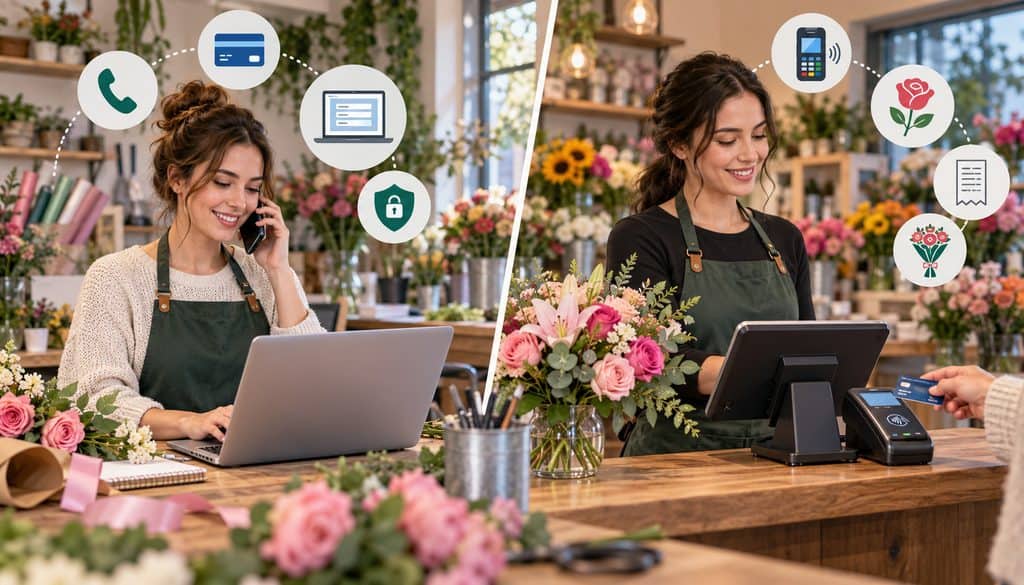
The virtual terminal vs POS florist decision is really a question about the payment environment.
A countertop POS terminal is primarily designed for an in-person customer who can tap, insert, or otherwise present a payment credential through supported hardware. A virtual terminal is generally better suited to a remote purchaser whose card cannot be presented to the florist.
That distinction matters because florist virtual terminal phone orders remain card-not-present transactions even though an employee is physically standing in the flower shop.
| Factor | Virtual Terminal | Countertop POS |
| Card present? | No for a telephone order | Usually yes |
| Typical data entry | Manual remote-payment entry | Chip, tap, swipe, or supported in-person method |
| Holiday phone suitability | High when configured for remote orders | Lower when employees must interrupt counter checkout |
| Fraud exposure | CNP exposure | Generally lower card-present exposure |
| Useful reference fields | Often available, provider-dependent | Varies |
| Staff access | May support individual authenticated users and roles | Varies by POS |
| Best use | Remote and telephone orders | Walk-in, face-to-face purchases |
A shop may still use its florist POS to coordinate order status, customer information, inventory, and delivery activity while routing telephone payments through the appropriate virtual-terminal workflow. The important distinction is between managing the flower order and determining how the underlying payment credential is accepted.
The virtual terminal vs POS florist comparison should not be reduced to price. Manually keyed transactions may be priced differently from chip or tap transactions, but the exact economics depend on the card network, processor, pricing arrangement, merchant category, transaction attributes, and other factors.
For workflow, the more important advantage is separation.
If one employee is serving a walk-in customer while three employees are answering phones, routing every caller through the front-counter card terminal creates a bottleneck. Employees have to leave their desks, interrupt another checkout, move handwritten payment information between locations, or wait their turn to key the order.
A virtual-terminal workstation can give the phone team a dedicated remote-payment path.
First-party payment documentation illustrates the concept. Square, for example, describes its Virtual Terminal as a browser-based way to take remote or telephone payments and supports account permissions for access to the function. Features vary by provider, so florists should verify their own system rather than assuming identical capabilities.
When a virtual terminal beats keying into a countertop terminal
A dedicated virtual terminal usually makes more operational sense when:
- several people answer phones simultaneously;
- the physical card will not be presented;
- phone orders require order IDs or customer references;
- office employees work away from the retail counter;
- multiple authenticated users need controlled access;
- the shop wants remote-payment reporting separated from walk-in activity.
A countertop terminal remains the natural choice when the customer is standing at the register and can use an appropriate card-present method.
This is also why the surrounding process matters more than the label on the technology. A virtual terminal with shared credentials, handwritten PANs, inconsistent billing data, and no reconciliation process can be worse operationally than a carefully controlled manual-entry workflow.
What Data to Collect for Card-Not-Present Flower Orders

The best way to handle card not present flower orders is to separate information needed to make and deliver the arrangement from sensitive information needed only to process the payment.
The florist needs a durable order record. It generally does not need a durable copy of the card credentials.
A practical phone order may capture:
- purchaser name;
- purchaser callback number;
- recipient name;
- delivery address;
- requested delivery date;
- arrangement or product selection;
- agreed price and delivery charge;
- billing address or billing ZIP/postal code where the payment workflow requests it;
- florist order ID;
- card authorization reference;
- receipt email if requested;
- delivery instructions and appropriate message-card wording.
The card number, expiration information, and card verification value should be entered into the approved payment interface rather than copied into a general customer note.
| Field | Why Needed | Store After Transaction? |
| Order ID | Reconciliation and production tracking | Yes |
| Buyer name | Customer record | Yes |
| Callback number | Clarification or payment follow-up | Yes, subject to normal privacy policy |
| Recipient | Fulfillment | Yes |
| Delivery address | Fulfillment | Yes |
| Billing address/ZIP | Payment entry and AVS where applicable | Retain only as legitimately needed |
| Arrangement/amount | Order and accounting record | Yes |
| Authorization reference | Links payment to order | Yes |
| Full card number in flower ticket | Not needed for production | No |
| CVV/CVC/CID | Authorization input where applicable | Never after authorization |
This distinction is central to a safe florist virtual terminal phone orders setup.
The production bench needs to know whether the arrangement is roses, tulips, mixed seasonal flowers, or a sympathy spray. It does not need the customer’s payment credentials.
AVS and CVV for Phone Orders
An effective AVS CVV phone orders procedure collects accurate billing information and lets the payment system return whatever address and card-verification signals it supports.
Address Verification Service, or AVS, generally compares submitted billing-address information—often numeric address elements and postal code—with issuer records where the service is supported. It is a transaction signal, not proof of identity.
CVV, CVC, CID, and similar terms refer to card verification values printed on a card. They are commonly used as an additional input for card-not-present authorization.
Mastercard’s published transaction rules, for example, address transmission of address/postcode information and CVC2 for relevant card-not-present transactions and the issuer responses that can accompany those checks. The exact responses and merchant handling rules depend on the transaction, card, region, acquirer, and system.
Card verification values may be requested for an individual card-not-present authorization when appropriate, including telephone orders, but collection and storage are separate issues. PCI SSC’s current guidance on requesting card-verification values during CNP and MOTO transactions makes clear that the value may be collected for authorization but must not be retained afterward.
Neither AVS nor CVV tells the florist, “This customer is definitely legitimate.”
An AVS match does not transform a telephone order into a card-present sale. A CVV match does not guarantee that the person on the phone is the rightful cardholder. Conversely, a mismatch or unavailable response is not, by itself, a complete explanation of the situation.
The shop should follow its processor’s configured response handling and risk procedures rather than inventing its own assumptions about individual codes.
Billing address and delivery address are different fields
This sounds obvious until Valentine’s week.
A caller may live in Arizona, use a billing address in Arizona, and send roses to a recipient in Delaware. That is normal for the floral business.
Entering the delivery address into the billing field because “it is the address on the order” can generate unnecessary AVS mismatches and make review harder.
The separation also helps staff avoid treating the recipient mismatch itself as suspicious. The buyer and recipient are supposed to be different on a large share of flower orders.
A better fraud review focuses on the combination of payment results, order value, failed attempts, unusual ordering behavior, delivery circumstances, and processor-supported risk signals.
Why the callback number matters
A purchaser callback number is not identity proof, but it is operationally valuable.
The florist may need to clarify a gate code, confirm a delivery date, resolve a failed authorization, discuss an unavailable flower variety, or contact the purchaser before releasing a high-risk rush order.
The callback number should remain part of the customer/order record, not a substitute for payment-system controls.
Phone Order Payment Security for Florists
A useful phone order payment security florist rule is simple:
The employee hears the card details and types them directly into the approved payment screen. The flower shop does not create a second card-data storage system along the way.
For florist virtual terminal phone orders, that means eliminating the convenient-looking shortcuts that become liabilities during rush week.
Do not create card-data staging areas in:
- sticky notes;
- notebooks;
- paper flower tickets retained after processing;
- spreadsheets;
- shared drives;
- Google Docs or similar collaborative documents;
- email;
- SMS;
- internal chat;
- CRM free-text notes;
- photos or scans of payment slips.
The PCI Security Standards Council states that card verification codes such as CVV2, CVC2, CID, or equivalent sensitive authentication data cannot be stored after authorization, including when encrypted. Customer permission does not override that prohibition.
That point is especially important for a florist that says, “This corporate office orders every Friday, so we’ll keep the CVV with the card.”
Do not.
Payment-security data handling table
| Data Element | Collect? | Retain? | Caution |
| Buyer name | Yes | Usually | Protect as customer information |
| Callback number | Yes | Usually | Not identity proof |
| Billing address/ZIP | As required by payment workflow | Only as needed | Keep separate from delivery address |
| PAN/card number | Enter into approved interface | Avoid merchant-side storage unless specifically required and properly protected | Never place in general notes |
| Expiration date | Enter if requested | Only under compliant system controls if needed | Do not create a homemade card file |
| CVV/CVC/CID | For the specific authorization where applicable | No after authorization | Sensitive authentication data |
| Authorization reference | Yes | Yes | Useful for reconciliation |
| Token | System-generated | Yes within approved platform | Does not mean the shop should know the underlying PAN |
Paper floral tickets
Many excellent flower shops still use paper tickets because the production process is visual, physical, and fast. That is not inherently a problem.
The problem occurs when the same ticket becomes both a floral production document and a card-storage document.
A production ticket can contain:
- order number;
- recipient;
- delivery address;
- arrangement;
- price;
- enclosure-card message;
- delivery instructions;
- payment status.
It should not contain the full PAN or CVV.
A shop can therefore continue using paper operationally while keeping sensitive card entry inside the payment environment.
What about recorded calls?
Florists that record customer-service calls should review the interaction between their call-recording system and their PCI responsibilities. Recording a customer speaking sensitive card information can create additional compliance obligations.
The safest operational design is one in which payment credentials do not become reusable recordings or other stored artifacts. Shops using call recording should work with their acquirer, payment provider, and qualified security advisers on the design appropriate to their environment.
The broader lesson for phone order payment security florist operations is that card data should have the shortest practical journey through the business.
Building a Two-Minute Peak-Week Call Workflow
The phrase “two-minute call” should be treated as an operational target for straightforward Valentine’s orders, not a promise and never a reason to skip controls.
A caller ordering a standard dozen roses for a known delivery zone may be handled very quickly. A funeral arrangement, wedding inquiry, address problem, unusual substitution, or complex corporate order will naturally take longer.
The objective is to remove avoidable conversation and duplicate data entry.
A disciplined florist virtual terminal phone orders workflow can look like this:
| Step | Staff Action | Target Outcome |
| 1 | Greet caller and identify order type | Start immediately |
| 2 | Capture recipient and delivery details | Establish fulfillability |
| 3 | Select arrangement/price | Lock order scope |
| 4 | Capture buyer name and callback | Create purchaser record |
| 5 | Confirm billing address/ZIP as required | Prepare AVS data |
| 6 | Enter card directly in virtual terminal | Avoid intermediate card storage |
| 7 | Review authorization result | Establish payment status |
| 8 | Read back non-sensitive order summary | Catch fulfillment errors |
| 9 | Assign/reference order ID and channel tag | Link payment to ticket |
| 10 | Route confirmed order to production | Fulfill only appropriate status |
For card not present flower orders, speed comes from standardization—not from eliminating fields that matter.
Use a limited peak-week menu
The biggest time saver may have nothing to do with payments.
During Valentine’s week, a florist may reduce the number of arrangements available for same-day telephone ordering. Instead of walking a customer through 40 website SKUs, the employee can offer three or four current options at defined price points.
That means:
“Classic roses, premium roses, or seasonal designer’s choice?”
is much faster than:
“What did you have in mind?”
Standardized delivery zones, cutoff policies, substitution rules, and add-ons such as chocolates or balloons also reduce decision time.
The same principles apply to Mother’s Day call volume, prom weekends, large local events, weather-related spikes, and unusually busy sympathy-order periods.
A fast staff call script
A workable script framework is:
“Who is the arrangement for?”
“What delivery address and delivery date should we use?”
“Would you like the classic, premium, or designer’s-choice arrangement?”
“What name and callback number should we use for the purchaser?”
“What billing ZIP code or billing address is associated with the card?”
“Please provide the card information when you’re ready.”
Staff should enter card information directly into the payment interface while the caller provides it. There is usually no operational reason to repeat the full card number back aloud after entry.
For AVS CVV phone orders, the billing questions should appear in a predictable part of the script. That reduces employees’ tendency to substitute the delivery ZIP because it happens to be visible on the order screen.
Peak-week order template
A standardized order screen or paper template for non-card information helps temporary staff work consistently.
| Field | Required? | Purpose |
| Order ID | Yes | Reconciliation |
| Buyer | Yes | Customer record |
| Callback | Yes | Follow-up |
| Recipient | Yes | Fulfillment |
| Delivery address | Yes | Fulfillment |
| Delivery date | Yes | Scheduling |
| Arrangement/price | Yes | Production |
| Billing ZIP/address | As applicable | AVS/payment entry |
| Authorization reference | Yes | Payment evidence |
| Payment status | Yes | Fulfillment control |
| Channel tag | Yes | Reporting |
There is intentionally no field labeled “CVV stored.”
Entry quality matters
Fast inaccurate entry is not fast in the end.
Poor data entry can cause:
- avoidable AVS mismatches;
- failed payment attempts;
- delivery errors;
- duplicate customer records;
- duplicate authorizations;
- wrong-order fulfillment;
- difficult end-of-day reconciliation.
This is why Valentine’s Day order surge processing requires more than adding extra people to the phones.
It requires giving those people one agreed way to process the call.
Separating phone orders from counter transactions also makes it easier to maintain distinct payment workflows for online, remote, and in-store flower sales. A caller’s manually entered payment should not be treated operationally the same way as a customer tapping or inserting a card at the counter.
Storing Cards for Repeat Corporate Buyers With Tokenization

Corporate offices, funeral homes, hotels, event planners, real-estate offices, law firms, restaurants, and other repeat buyers may call a florist frequently.
The wrong response is to create a paper or spreadsheet “card file.”
The correct florist virtual terminal phone orders approach is to use a payment provider’s approved stored-credential or tokenized customer-profile functionality where available and appropriate.
In a tokenized system, the payment provider maintains the sensitive credential within its controlled environment and gives the florist a reusable token or customer profile. The florist can initiate a permitted future payment through the provider without maintaining raw card details in ordinary business notes.
The conceptual flow is:
customer provides card through approved channel → provider creates/stores appropriate payment credential → florist retains customer/token reference → subsequent eligible transaction uses the approved stored credential.
Tokenization, not sticky notes
A florist should never have an internal instruction that says:
“Mary at the hotel uses Visa ending 1234, full number is in the desk drawer.”
Instead, the corporate account might contain:
- company name;
- authorized ordering contact;
- billing contact;
- customer/token profile ID;
- billing address;
- receipt email;
- PO or cost-center requirement;
- delivery preferences;
- approval limits defined by the customer’s own business process.
No CVV field belongs in that profile.
Repeat purchasers such as offices, hotels, and event planners may also need structured billing workflows for floral subscriptions and corporate accounts, particularly when standing orders, invoices, purchase references, or scheduled payments are involved. Those workflows should still rely on approved stored credentials rather than manually retained card details.
Stored credential permission matters
Saving a credential does not mean the florist has unrestricted permission to charge it whenever convenient.
There is an important difference between:
- a one-time phone payment;
- a later customer-initiated purchase using a stored credential;
- a standing order;
- a subscription;
- another merchant-initiated transaction under previously agreed terms.
The exact implementation depends on the payment provider, network requirements, transaction type, and the agreement with the customer.
The operational rule is straightforward: obtain appropriate permission and configure the stored credential through the processor’s approved workflow rather than assuming yesterday’s telephone authorization automatically authorizes every future charge.
Handling Declined Cards on Rush Flower Orders
Declines become dangerous during a rush because people become impatient.
The employee clicks “charge.” The browser appears slow. The caller asks whether it went through. Someone refreshes the page. Another employee tries the card on a second workstation.
Now the shop may have an actual decline—or one authorization, two authorizations, a pending transaction, or multiple flower orders.
A defined decline procedure prevents that.
For florist virtual terminal phone orders, use this sequence:
- Read the authorization result shown by the payment system.
- If the payment clearly declined, verify the entered billing information once.
- Correct an obvious entry error if appropriate.
- Follow the processor’s prescribed retry handling rather than repeatedly resubmitting.
- Ask the customer for another payment method when necessary.
- Record the final payment status on the florist order.
- Do not release an unpaid order into rush production as though it were successfully authorized.
| Situation | Staff Response | Avoid |
| Clear decline | Verify entry once; follow provider guidance; request alternate payment if needed | Repeated blind retries |
| Obvious billing ZIP typo | Correct once and resubmit appropriately | Guessing multiple ZIP codes |
| Page timed out/unknown state | Check transaction history first | Immediately clicking submit again |
| Customer supplies different card | Treat as a new payment attempt under normal controls | Leaving old attempt marked paid |
| Duplicate authorization suspected | Stop and review transaction history | Adding another attempt |
| Successful authorization | Mark paid and record reference | Continuing to retry |
Do not diagnose the customer’s card
Employees should not say:
“Your card has no money.”
“It must be stolen.”
“Your bank froze the account.”
Unless the payment system specifically communicates an appropriate customer-facing reason, staff usually do not know why the issuer declined the authorization.
A neutral script is better:
“The card did not authorize. Let me confirm the billing details once, and if it still does not approve, we can try another payment method.”
That protects customer dignity while keeping the employee out of unnecessary speculation.
Pending is not the same thing as declined
When the screen displays an unknown, timed-out, or ambiguous state, the next step should be investigation—not reflexive resubmission.
Check the provider’s transaction history or payment dashboard first.
Use explicit payment statuses
Rush production should not have to interpret payment notes.
Use defined statuses such as:
- unpaid;
- authorization pending;
- paid;
- voided;
- refunded.
If production only accepts orders marked paid, staff have a much better chance of catching unresolved telephone payments before an expensive arrangement leaves the store.
Accurate order confirmations, delivery records, authorization references, and customer communications also create better documentation if a remote sale later becomes a chargeback involving a phone or online flower order. These records do not replace authorization controls, but they make the transaction easier to investigate after fulfillment.
Valentine’s Day Order Surge Processing: Peak-Week Setup
Valentine’s Day order surge processing changes the risk profile of normal operations even if the payment technology itself does not change.
There are more calls.
There are more temporary employees.
There are more rushed customers.
There may be more same-day delivery requests, premium arrangements, multiple-recipient orders, and unusual order values.
Most importantly, small mistakes become repetitive.
If one employee incorrectly substitutes the delivery ZIP for the billing ZIP on one quiet Tuesday order, the issue may be noticed. If six seasonal employees make the same mistake for 150 orders, the problem becomes material.
The preparation period for florist virtual terminal phone orders should therefore happen before phones become busy.
User Logins, Order Tags, and Permissions
Where the payment platform supports individual users, each employee processing payments should have an appropriate individual account rather than a shared “ValentineStaff” credential.
Shared logins weaken accountability.
When a refund is issued, an order is voided, or a customer says they were charged twice, management should ideally be able to determine which employee performed the action.
Access should also follow least privilege.
A temporary call taker may need:
- order entry;
- transaction entry;
- basic transaction lookup.
That employee may not need:
- user administration;
- bank-account settings;
- processor configuration;
- full reporting exports;
- unrestricted refunds;
- account-owner privileges.
Enable MFA where the provider supports or requires it, and deactivate temporary users immediately after their work ends.
Recommended peak-week roles
A larger flower operation can separate responsibilities.
Call takers: build the order and submit normal payments.
Supervisors: investigate duplicates and payment exceptions.
Managers: approve unusual refunds, voids, or high-risk orders.
Administrators: manage users and system configuration.
Separating duties becomes especially valuable when twenty people are working under stress.
Tag the transaction channel
Use consistent tags wherever the order-management or payment system permits them:
- phone;
- website;
- walk-in;
- corporate;
- wire service;
- Valentine’s;
- Mother’s Day;
- same-day;
- rush.
This makes reporting far more useful.
Instead of asking, “Why did sales jump on February 13?” management can see how many transactions came from phone orders, how many were rush orders, what the average ticket was, which channel experienced declines, and whether refunds clustered in a particular workflow.
Useful channel-level metrics include:
- number of phone orders;
- gross phone sales;
- average phone-order ticket;
- declined attempts;
- refunds;
- voids;
- duplicate-payment incidents;
- chargebacks when available.
No single benchmark should be invented and applied to every florist. The value comes from comparing the shop with its own normal operating patterns.
Fraud review without turning staff into investigators
Florists do not need seasonal employees conducting improvised interrogations of customers.
They need defined escalation rules.
Potential indicators for additional review can include combinations such as:
- unusually large rush purchases;
- repeated failed authorization attempts;
- payment-data inconsistencies;
- multiple unrelated delivery orders associated with one credential;
- transaction patterns that trigger the processor’s fraud tools.
The florist should follow processor-supported risk controls for unusual or high-value remote orders.
A mismatch between purchaser and recipient alone is not an alarm. Sending flowers to another person is the product.
Delivery confirmation can also support customer service and later dispute response, but it does not prove that the payer validly authorized the transaction.
Receipts and descriptors
A remote buyer should receive a confirmation that makes the transaction recognizable.
A useful receipt or confirmation can show:
- recognizable florist name;
- order reference;
- transaction amount;
- delivery date;
- customer-service contact;
- masked payment information where displayed.
The card statement descriptor should likewise be recognizable to the purchaser within the capabilities and rules of the payment provider.
This is particularly important for remote floral orders because the buyer may never have entered the physical shop.
Mother’s Day and other spikes
The same Valentine’s Day order surge processing playbook works for Mother’s Day, prom season, graduation, major local events, weather-driven rushes, sympathy spikes, and holiday weekends.
The product assortment changes.
The payment discipline should not.
Last-minute demand makes a standardized payment process especially important because urgent flower orders combine tight fulfillment deadlines with payment-processing pressure. The payment status should therefore be resolved before an expensive rush arrangement is handed to production or delivery.
Peak-week training drill
Run simulations before the holiday:
- Successful telephone order.
- Wrong billing ZIP corrected once.
- Clear decline.
- Authorization result unclear.
- Suspected duplicate payment.
- Customer requests immediate void.
- Customer requests a refund after settlement.
- Corporate customer uses approved tokenized profile.
- Same-day high-value order requires supervisor review.
- Virtual terminal becomes unavailable.
This converts policy from a document into muscle memory.
Virtual-terminal downtime
A system outage does not make insecure card capture acceptable.
Do not tell employees:
“Write all the cards down and we’ll key them later.”
That turns an availability problem into a card-data problem.
Instead, establish approved alternatives in advance. Depending on the merchant’s payment setup, that might include another processor-approved payment channel, an approved invoice/payment link, or other provider-supported method.
Keep processor support information accessible, and consider practical internet/device redundancy where appropriate.
A notebook full of PANs and CVVs is not a disaster-recovery plan.
End-of-Day Virtual-Terminal Reconciliation
A busy florist should not discover three days later that six Valentine’s arrangements were delivered without successful payment.
Florist virtual terminal phone orders need a daily tie-out while the transactions and orders are still fresh in employees’ minds.
The end-of-day procedure should compare operational orders with payment transactions rather than assuming that “everything in production must have been paid.”
Use this sequence:
- Export or review the day’s phone-order list.
- Compare it with virtual-terminal transactions.
- Identify declined and unpaid orders.
- Investigate pending or unresolved authorizations.
- Check for duplicate transactions.
- Match voids and refunds to the corresponding order IDs.
- Compare paid orders with the production/delivery queue.
- Confirm expected batch or settlement status through the provider.
- Preserve the reports required under the shop’s normal records policy.
| Source | Compare Against | Exception to Investigate |
| Phone-order log | Virtual-terminal transaction list | Order with no payment |
| Virtual-terminal sales | Order-management records | Payment with no order |
| Authorization references | Order IDs | Missing/mismatched reference |
| Refund list | Customer-service/refund approvals | Unexplained refund |
| Void list | Order cancellations | Void without corresponding order action |
| Production queue | Paid-order list | Fulfilled unpaid order |
| Settlement/batch report | Authorized transactions | Missing or unexpected settlement item |
A simple reconciliation table can look like this:
| Order ID | Order Amount | Payment Status | Auth Ref | Fulfillment Status | Variance |
| VD-1847 | $— | Paid | Recorded | Delivered | None |
| VD-1848 | $— | Declined | Recorded | Hold | None |
| VD-1849 | $— | Pending review | Pending | Hold | Investigate |
Accounting treatment
The virtual terminal is a payment channel, not a separate revenue category unless the florist intentionally wants channel-level reporting.
Sales should be recorded gross in the appropriate revenue accounts rather than treating the processor’s net deposit as revenue. Processing fees and other deductions should be reconciled separately from sales.
A full GL design is outside the purpose of this article, but the operational rule matters: payment reconciliation starts with gross transactions, not just the cash amount that eventually lands in the bank.
Why order IDs matter again
Without a shared identifier, an employee reviewing a $146.82 card charge may have no idea whether it belongs to the roses for Smith, the funeral arrangement for Jones, or the three-delivery corporate order.
With a reference such as VD-1847, the payment, order, production ticket, delivery confirmation, refund, and customer-service notes can be connected without retaining sensitive payment credentials.
That is what good payment reconciliation looks like in a flower shop.
Common Florist Phone-Payment Mistakes
Most failures in phone order payment security florist operations are process failures rather than sophisticated technical attacks.
| Mistake | Risk | Better Approach |
| Keying every caller through the busy counter terminal | Bottlenecks and re-keying | Dedicated remote-payment workflow |
| Writing card numbers on flower slips | Unnecessary card-data exposure | Enter directly into approved interface |
| Retaining CVV | PCI violation | Use only for specific authorization; never retain afterward |
| Sharing one login | Poor accountability | Individual access where supported |
| Skipping billing information | Weaker transaction data | Capture accurate billing fields requested by provider |
| Using delivery address as billing address | AVS errors | Keep fields distinct |
| Blindly retrying declines | Duplicate attempts and confusion | Defined retry/alternate-payment procedure |
| Assuming timeout means decline | Duplicate authorization risk | Check transaction history |
| No order ID | Difficult reconciliation | Shared order/payment reference |
| Giving seasonal workers admin access | Excessive privilege | Least-privilege roles |
| Leaving seasonal users active | Unnecessary access | Disable promptly |
| No daily tie-out | Unpaid/duplicate orders linger | Daily order-to-payment reconciliation |
Another mistake is assuming that collecting more information converts card not present flower orders into low-risk card-present transactions.
It does not.
AVS and CVV can improve transaction quality and provide useful signals, but the underlying telephone payment remains card-not-present. That distinction should influence staffing, risk review, recordkeeping, and pricing expectations.
For customers physically present in the shop, mobile and contactless payment methods belong in the card-present checkout workflow. A phone order should remain clearly separated because manually entering a caller’s card details creates a different transaction environment from a customer tapping or inserting a payment credential.
Florist Virtual Terminal Peak-Week Checklist
Use this checklist before Valentine’s Day, Mother’s Day, or another major phone-order surge.
- Confirm the virtual terminal is active.
- Confirm the processor supports the shop’s intended telephone/manual-entry transactions.
- Review current PCI requirements applicable to the merchant environment.
- Create individual staff logins where supported.
- Enable MFA where supported or required.
- Limit refund and administrative privileges.
- Define which employees may issue voids.
- Define which employees may issue refunds.
- Create required order fields.
- Require an order ID on every telephone transaction.
- Collect the purchaser’s name.
- Collect a callback number.
- Keep recipient and purchaser information separate.
- Keep billing and delivery addresses separate.
- Collect billing address/ZIP where applicable to the payment workflow.
- Collect CVV only for the specific transaction where permitted and requested.
- Never retain CVV after authorization.
- Do not write full card credentials on paper order forms.
- Do not store PANs or CVVs in spreadsheets.
- Do not put payment credentials in email, SMS, or chat.
- Create a standardized call script.
- Create a limited peak menu when operationally useful.
- Configure receipts and confirmations.
- Review the card statement descriptor.
- Build approved tokenized corporate profiles.
- Document stored-credential permission procedures.
- Define the decline workflow.
- Define the “check before retry” procedure.
- Define pending-authorization handling.
- Define refund and void escalation.
- Tag telephone orders consistently.
- Tag Valentine’s and Mother’s Day orders where useful.
- Train temporary staff.
- Run mock telephone-payment transactions.
- Practice the decline script.
- Practice duplicate checks.
- Test reporting access.
- Confirm supervisors can investigate transactions.
- Keep processor support details available.
- Establish an approved outage procedure.
- Never use insecure offline card notes as backup.
- Review authorizations daily.
- Match phone orders to payments daily.
- Check unpaid rush orders.
- Check duplicates.
- Reconcile refunds and voids.
- Review batch/settlement status.
- Disable temporary user access after peak.
PCI DSS treats card verification values such as CVV2, CVC2, CID, and similar codes as sensitive authentication data. The PCI Security Standards Council states that these values must not be stored after authorization, even if they are encrypted or the customer has given permission to retain them.
A successful Valentine’s Day order surge processing plan is therefore part payment configuration, part staff training, and part production control.
Frequently Asked Questions
What is a virtual terminal for a florist?
A virtual terminal is a secure browser- or application-based interface that lets authorized employees manually submit payment information for a remote transaction such as a telephone order.
In a florist virtual terminal phone orders workflow, the caller provides payment information to an employee, who enters it directly into the approved payment interface rather than writing it on the flower ticket for later entry.
Is a virtual terminal better than a POS for phone orders?
Usually it is better suited to remote telephone orders, while the POS terminal is better suited to a customer physically presenting a card in the shop. The virtual terminal vs POS florist choice should be based on the transaction environment and workflow rather than an assumption that one is universally cheaper or safer.
What information should I collect on a flower order by phone?
Collect enough information to fulfill, contact, identify, and reconcile the order: buyer name, callback number, recipient, delivery address, delivery date, arrangement, amount, billing information requested by the payment system, order ID, and authorization reference.
Sensitive payment information should go directly into the approved payment interface instead of general order notes.
Should I ask for AVS and CVV on phone orders?
Use the billing and card-verification fields required or supported by your processor’s approved workflow. For AVS CVV phone orders, AVS can supply an address-match signal and CVV can provide another authorization input. Neither proves the caller’s identity or guarantees that a transaction is legitimate.
Can florists write card numbers on order forms?
The safer design is not to create a written card record in the first place.
Employees handling card not present flower orders should enter payment information directly into the approved terminal or payment interface and keep card credentials off production tickets, sticky notes, spreadsheets, email, and chat systems.
Can I keep a customer’s CVV for future flower orders?
No. PCI DSS prohibits retaining card verification values after authorization, even if the customer asks the merchant to keep them. Use an approved tokenized or stored-credential solution for eligible future payments instead.
How should I store a repeat corporate customer’s card?
Use the payment provider’s approved tokenization or stored-customer-profile functionality where available. The florist’s corporate profile should retain business information and the tokenized payment reference—not a handwritten or spreadsheet copy of the PAN and never a saved CVV.
Are phone orders more expensive to process than card-present orders?
They can be priced differently because manually entered remote payments and card-present chip or contactless payments are different transaction environments. There is no universal rate difference. Actual costs depend on network rules, card and transaction characteristics, processor pricing, merchant category, and the merchant agreement.
How can staff take Valentine’s Day phone orders faster?
Standardize the work.
Use a limited peak menu, scripted questions, clear delivery zones, an order template, a dedicated payment screen, and predefined status codes. Valentine’s Day order surge processing improves when employees make fewer decisions and do less duplicate entry.
What should I do when a phone-order card declines?
Confirm the information entered once, follow the payment provider’s decline procedures, and ask for an alternate payment method when needed. Do not release the arrangement as paid until the shop has a successful authorization or whatever other approved payment status applies.
Should staff retry a declined payment?
Not repeatedly and not blindly.
Correcting a clear entry error may justify another attempt under the processor’s normal workflow. Otherwise, follow the provider’s guidance and consider another payment method rather than trying to defeat an issuer’s decision.
How do I avoid duplicate charges during peak week?
Train employees to check transaction history whenever the authorization result is unclear. Do not assume a slow browser, timeout, or frozen screen means nothing happened. Multiple clicks, page refreshes, and simultaneous attempts from different employees can create duplicate authorizations.
Should temporary Valentine’s staff have separate logins?
Use individual access where the platform supports it.
Give temporary staff only the permissions they need, enable MFA where supported or required, and deactivate seasonal accounts immediately when their work ends. Shared credentials make refund and duplicate investigations much harder.
How do I reconcile phone orders at the end of the day?
Compare the telephone-order log with the virtual-terminal transaction list. Match order IDs, amounts, authorization references, payment statuses, voids, refunds, and fulfillment status. Investigate any transaction without an order and any order without a successful payment.
What is the difference between card-not-present flower orders and ecommerce orders?
Both may be card-not-present, but the customer interaction and payment-entry method differ.
In a telephone/MOTO order, an employee typically receives the payment information from the caller and enters it through an approved remote-payment workflow. In ecommerce, the customer usually enters payment credentials through an online checkout.
The security architecture, fraud tooling, authentication options, transaction indicators, and workflow can therefore differ even though neither transaction is a normal card-present chip or tap sale.
Conclusion
A virtual terminal works best for a flower shop when it is treated as a complete telephone-payment workflow rather than merely another screen for typing card numbers.
Phone orders remain card-not-present. Accurate billing information and available AVS/CVV checks can improve transaction quality, but they do not eliminate fraud risk or convert the sale into a card-present transaction.
Staff should minimize their exposure to payment credentials, enter card data directly into approved systems, and ensure CVV never becomes part of a customer note or permanent corporate profile.
Repeat buyers should move to approved tokenized profiles where appropriate rather than sticky notes or spreadsheets. Declined and uncertain authorizations should follow a defined procedure that emphasizes checking transaction history before another attempt.
Most importantly, the florist needs operational discipline around the payment screen: individual access where supported, limited privileges, order IDs, channel tags, clear paid/pending/unpaid statuses, temporary-user cleanup, and daily reconciliation.
When those pieces are established before the first Valentine’s rush call arrives, phone ordering becomes faster without asking employees to choose between security and service.